Welcome to Paxper
Your diagram is the infrastructure.
Paxper lets you design, plan and manage cloud infrastructure visually. You draw your architecture on a canvas, Paxper shows you exactly what will change, and once you approve, it applies those changes to your own cloud account.
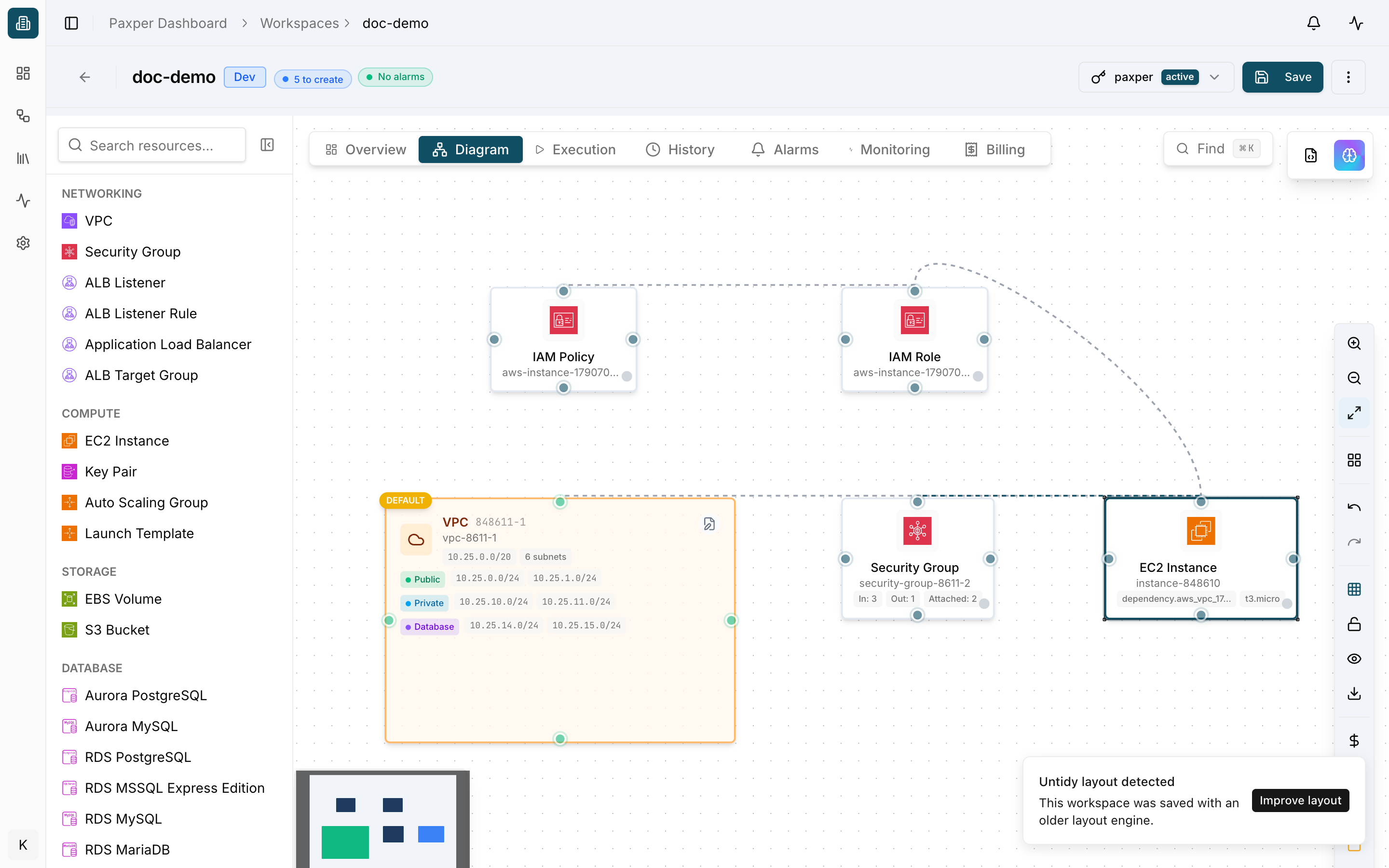
How it works
- Create a workspace – pick a cloud provider, region, environment (Development, Test, Acceptance, Production) and credential.
- Design on the canvas – add resources from the resource panel, or start from a ready-made template. Paxper adds the resources each one depends on and connects them for you.
- Plan – see what would be created, changed or destroyed, without touching your cloud account.
- Apply – when the plan looks right, apply it and follow the job live in the console.
Paxper turns your design into managed cloud infrastructure, so your team can focus on what you want to build instead of maintaining configuration files.
Quick Links
User Guide
Every screen in Paxper, step by step
Create a Workspace
Set up your first workspace in minutes
AI Assistants (MCP)
Connect Claude or other assistants to your workspaces
Key Features
Visual design
- Drag-and-drop canvas with resources grouped by category
- Resources are added together with their dependencies, already connected
- Templates to start from proven blueprints
- Live validation and values loaded from your cloud account, such as AMI IDs and instance types
Safe changes
- Every change starts with a plan – nothing reaches your cloud until you apply
- Live job console with retry and rollback
- Version history with restore, auto-saved as you work
- State locking and drift detection
Cost and operations
- Estimated monthly cost of your design, per resource
- Actual AWS cost per workspace from AWS Cost Explorer
- Alarms and monitoring for deployed resources
- Activity feed and notifications across your organization
AI built in
- Paxy, the AI assistant on the canvas, helps you design and change your infrastructure
- AI Analyze explains failed jobs and suggests a fix
- Connect AI assistants such as Claude over MCP
Teams and security
- Role-based permissions and workspace-based access
- Control which members can see and use each cloud credential
- IAM role connections with temporary sessions, and encrypted credentials
- Two-factor authentication, passkeys and IP allowlist
- Audit logs with CSV and JSON export
Cloud providers
Amazon Web Services is available today. Microsoft Azure, Google Cloud Platform and Oracle Cloud are coming soon.
Getting Help
- Documentation - You’re here!
- Email Support - support@paxper.com
- Contact Us - Get in touch
Last updated on